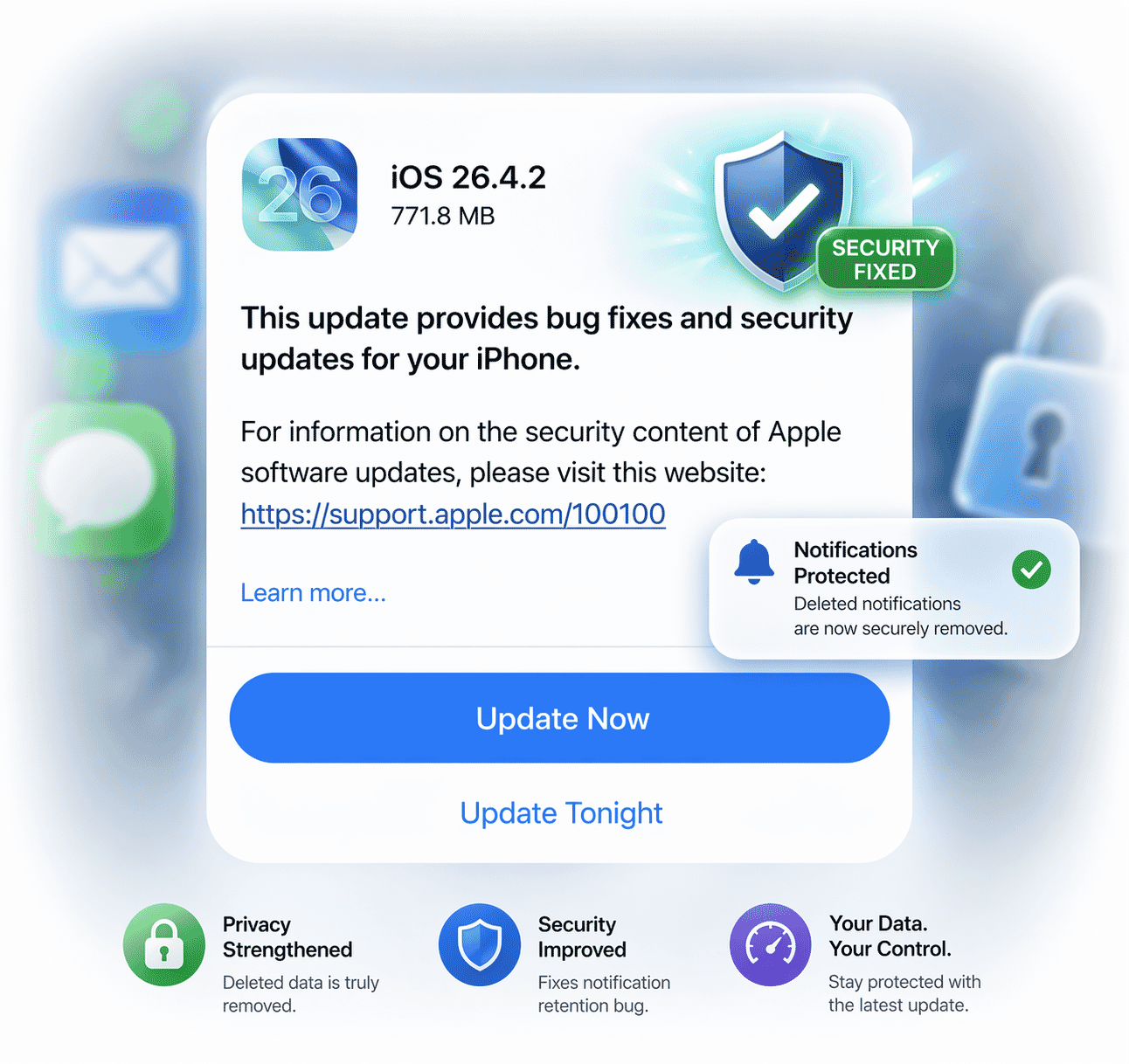
Apple released iOS 26.4.2 on April 22, 2026, to patch a confirmed security flaw where notifications you deleted from your iPhone were secretly retained on the device. The update also retroactively wipes any previously stored copies, so installing it immediately is the fastest way to fully protect your data.
Here is what you need to know right now. Apple pushed iOS 26.4.2 on April 22, 2026, with one headline mission: close a privacy loophole that allowed push notifications you thought you had erased to quietly linger inside your iPhone's system logs, invisible to you but potentially accessible to anyone with the right tools.
That is a bigger deal than it sounds. And once you understand exactly what was happening under the hood, you will want to update without delay.
 John Ternus Takes Over as Apple CEO as Tim Cook Steps Down in September 2026
What the notification bug actually did to your iPhone
The flaw lived deep inside Apple's Notification Services framework. According to 9to5Mac, Apple confirmed to them directly that some push notifications from apps were being retained on-device after you dismissed them or uninstalled the apps that sent them. They should have been permanently erased. They were not.
Apple's own security page spells it out plainly: "Notifications marked for deletion could be unexpectedly retained on the device." The root cause was a logging issue, one where the system recorded notification data in a way that bypassed the normal deletion process, leaving ghost copies sitting in your device's internal logs.
Here is the critical detail. These retained notifications were not just low-stakes calendar reminders or weather alerts. Push notifications from encrypted messaging apps such as Signal also fell under this bug. As FizX reports, federal investigators were reportedly able to recover Signal message notifications from a seized iPhone even after the defendant had deleted the Signal app entirely. That real-world example puts the stakes of this bug into sharp focus.
The specific CVE and how Apple engineered the fix
Apple assigned this vulnerability the identifier CVE-2026-28950, targeting Notification Services directly. The fix works by improving data redaction inside the logging pipeline, so that when a notification is dismissed or an app is removed, the associated data gets scrubbed completely from the system rather than quietly archived.
But Apple did not stop there. According to 9to5Mac, iOS 26.4.2 also retroactively purges any notification copies that were unexpectedly stored on your device before the update. In other words, installing this update does not just prevent the problem going forward. It cleans up the damage that already happened.
That retroactive cleanup is unusually proactive for a point update, and it signals how seriously Apple is treating this particular privacy gap.
Quick facts at a glance
- Update: iOS 26.4.2, released April 22, 2026
- CVE: CVE-2026-28950, Notification Services
- Also covers: iPadOS 26.4.2, iOS 18.7.8, iPadOS 18.7.8
- Also fixes: Retroactively deletes previously stored notification copies
- Not available to: Users on iOS 26.5 beta program
Who needs to update and which devices are covered
If your iPhone runs iOS 26.4.1, this update is waiting for you right now. MacRumors confirms that iOS 26.4.2 arrives two weeks after iOS 26.4.1 and is available over the air on all eligible iPhones. Simply go to Settings, then General, then Software Update, and tap install.
What about older iPhones? Apple has you covered. Apple Insider reports that Apple simultaneously shipped iOS 18.7.8 and iPadOS 18.7.8, bringing the same notification security patch to devices that do not support iOS 26. No iPhone user gets left behind on this one.
One group that will not see this update: anyone enrolled in the iOS 26.5 beta program. Geeky Gadgets notes that beta testers are excluded from this release, as their devices already run a newer build that addresses the issue within the beta track.
Additional improvements packed into iOS 26.4.2
The notification fix is the headline act, but iOS 26.4.2 delivers more. Geeky Gadgets reports that users can expect noticeably smoother multitasking, with reduced stuttering when switching between apps. A visual glitch affecting certain dynamic wallpapers has also been resolved, restoring the intended vibrancy Apple designed them to display.
Early user feedback also points to slight improvements in battery life and thermal management. Benchmarking tests show higher performance scores compared to iOS 26.4.1, with faster app loading and a reduced tendency for devices to run warm during demanding tasks like gaming or video editing.
Keep in mind, though, that a handful of known issues remain. Siri predictive text still behaves inconsistently for some users, compact tab mode on iPad continues to crash during heavy browsing sessions, and Apple CarPlay integration problems persist with certain vehicle brands including Jeep and Mercedes-Benz.
What comes next on Apple's iOS roadmap
This update does not arrive in a vacuum. Apple is actively beta testing iOS 26.5, which Macworld reports is expected to land sometime in May. That makes iOS 26.4.2 a critical security checkpoint to have in place before the next major release arrives.
Looking further ahead, the tech community already has its eyes on WWDC in June 2026, where Apple is expected to unveil iOS 27. Geeky Gadgets notes a public release of iOS 27 is projected for September 2026. In the meantime, staying current with iOS 26.4.2 keeps your device as secure and stable as possible on the path to those bigger updates.
The bottom line is straightforward. A bug that quietly held onto your deleted notifications, including potentially sensitive messages from encrypted apps, has now been patched. Apple is not asking you to wait for a major OS release to get this fix. It is available right now, takes minutes to install, and retroactively cleans up data you never intended to keep on your device.
That combination of urgency and ease makes this one of the simplest, most important updates Apple has issued this year. Open your Settings app and install iOS 26.4.2 today.
Read More
![Whatsapp Logo]() WhatsApp Is Testing a Subscription Plan and Names It WhatsApp Plus: Here Is Everything You Need to Know Right Now
WhatsApp Is Testing a Subscription Plan and Names It WhatsApp Plus: Here Is Everything You Need to Know Right Now![Whatsapp Logo]() WhatsApp Liquid Glass Rolls Out to iPhone Users – When Does Android Finally Get Its Version?
WhatsApp Liquid Glass Rolls Out to iPhone Users – When Does Android Finally Get Its Version?![Apple]() Apple Set to Use Samsung Camera for iPhone 18: The Game-Changer iPhone Fans Have Been Waiting For
Apple Set to Use Samsung Camera for iPhone 18: The Game-Changer iPhone Fans Have Been Waiting ForMicrosoft Is Shutting Down the Outlook Lite App for Android – Here’s Why and What You Must Do Right Now
 WhatsApp Is Testing a Subscription Plan and Names It WhatsApp Plus: Here Is Everything You Need to Know Right Now
 Apple Set to Use Samsung Camera for iPhone 18: The Game-Changer iPhone Fans Have Been Waiting For