Apple released iOS 26.4.1 on April 8, 2026, roughly two weeks after iOS 26.4. The update carries build number 23E254 and targets iPhones from the iPhone 11 onward. Apple's official release notes call it a bug fix update with no CVE-listed security patches. But dig deeper and two meaningful changes emerge: a fix for a broken iCloud sync bug introduced in iOS 26.4, and the automatic activation of Stolen Device Protection for enterprise-managed iPhones. If you skipped iOS 26.4, you'll want this one.
Apple does not make a big show out of point releases. There is no event, no press release, no countdown. One morning you open your Settings app and iOS 26.4.1 is waiting. But just because Apple keeps it quiet does not mean nothing changed. This update carries real fixes that directly affect how your iPhone functions day to day, and for millions of enterprise users, it quietly just flipped on a major security feature without asking.
Here is everything you need to know.
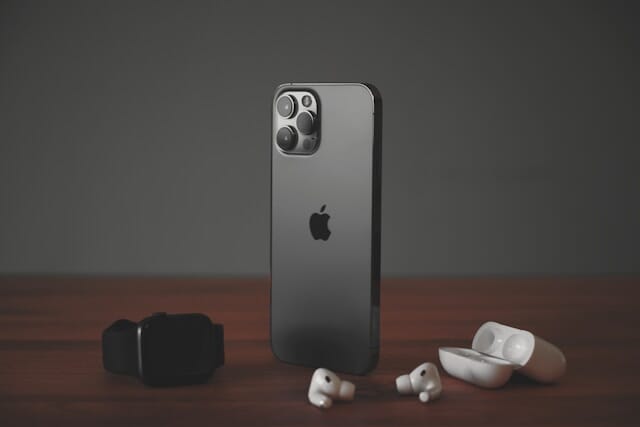 Apple Releases Rare Security Update to Shield Older iPhones from DarkSword Threat
What iOS 26.4.1 Actually Is (And Who It Is For)
Apple released iOS 26.4.1 and iPadOS 26.4.1 on April 8, 2026. The update carries build number 23E254 and is available for the iPhone 11 and all newer models.
It arrives just over two weeks after iOS 26.4, which was itself a fairly packed update with new features across Apple Music, Apple Podcasts, Reminders, and more. This release does not add any of those headline features. It patches what came after them.
Apple's official release notes are blunt: "This update provides bug fixes for your iPhone." No specifics, no changelog items, no CVE numbers listed on Apple's security advisory page. On the surface, it looks like a nothing update. It is not.
The iCloud Sync Bug That Was Breaking Apps
This is the fix most iPhone users actually care about, even if they did not realize anything was wrong.
When Apple shipped iOS 26.4, it introduced a regression in CloudKit, which is the framework that powers iCloud syncing for many apps. Developers spotted the problem quickly. Apps that rely on CloudKit for push notifications or data syncing were not updating properly. You might have noticed an app that felt stale, showing old data or failing to reflect changes made on another device.
A thread in the Apple Developer Forums confirmed the issue. iOS 26.4.1 squashes that bug. If your apps felt sluggish or out of sync after updating to iOS 26.4, this is why, and this update fixes it.
For regular users, this matters. Password managers, note-taking apps, task managers, and anything that syncs across your iPhone and Mac through iCloud relies on CloudKit notifications working correctly. A silent regression in that layer is the kind of bug that slowly erodes trust in your device without you ever knowing the cause.
Stolen Device Protection Now Activated by Default on Enterprise iPhones
This is the change that matters most for IT administrators and corporate users.
Apple confirmed in an updated enterprise support document that Stolen Device Protection will be automatically enabled on iPhones that update from iOS 26.4 to iOS 26.4.1. The same applies to iPads updating to iPadOS 26.4.1. This is specifically noted as a change for enterprise-managed devices.
Context matters here. iOS 26.4 had already flipped on Stolen Device Protection by default for regular consumer iPhones. Enterprise devices were left out of that rollout. With iOS 26.4.1, Apple closes that gap.
What Stolen Device Protection Actually Does
Stolen Device Protection adds a second layer of defense for sensitive actions when your iPhone is away from a familiar location like your home or workplace. Instead of relying on just a passcode, it requires Face ID or Touch ID biometric authentication to access things like saved passwords or account settings.
For high-risk actions such as changing your Apple ID password, it goes further. It triggers a one-hour security delay on top of biometric verification. You authenticate once, wait an hour, then authenticate again before the change goes through.
The feature was first introduced back in iOS 17.3. It was designed specifically to counter theft scenarios where someone steals your iPhone and also knows your passcode. Even if they have both, they cannot immediately access your most sensitive data or lock you out of your Apple account.
For enterprise deployments, having this on by default is significant. Employees who carry work iPhones into unfamiliar locations now get that protection automatically, without IT teams needing to push a configuration profile.
What Did Not Change in iOS 26.4.1
Apple did not release any updates for macOS, watchOS, tvOS, or visionOS alongside this release. This update is iPhone and iPad only.
There are also no listed CVE-referenced security vulnerabilities patched in this release. Apple's security content page confirms no published CVE entries for iOS 26.4.1. This is not unusual for minor point releases, but it is worth noting if you were waiting on a specific security fix.
iOS 26.5 beta testing continues separately, with public beta and developer testers already putting it through its paces.
How to Install iOS 26.4.1 Right Now
Installing the update takes less than five minutes on most devices. Go to Settings, tap General, then tap Software Update. The update will appear if your device is iPhone 11 or newer.
Make sure your iPhone is on Wi-Fi and has at least 50 percent battery, or plug it in before you start. The download is small given it is a point release, so you should not be waiting long.
If you prefer to let Apple handle it automatically, you can turn on automatic updates in that same menu under Automatic Updates. Your iPhone will download and install overnight when plugged in and connected to Wi-Fi.
The Bigger Picture: Where iOS 26 Stands Right Now
To understand why iOS 26.4.1 matters, it helps to know what iOS 26 brought in the first place.
Apple shipped iOS 26 in September 2025, and it represented the biggest visual overhaul to iOS since iOS 7. The Liquid Glass design language made everything feel more translucent, more layered, and more dynamic. Control panels, app icons, menus, and widgets all got the treatment. It was divisive, and it was clearly here to stay.
Since then, Apple has shipped four point-one style updates on top of that foundation, each one tightening the bolts on what iOS 26 introduced. iOS 26.4 was the last major feature drop in this cycle, adding Playlist Playground in Apple Music, video podcasting in Apple Podcasts, and more than a dozen other changes.
iOS 26.4.1 is the cleanup crew that follows. That is exactly what a good point release should be.
Should You Update?
Yes, and you should not wait.
If you use any apps that sync through iCloud, including Apple's own apps like Notes, Reminders, and Passwords, the CloudKit fix alone is reason enough. You may not have even noticed things were subtly broken, but they were.
If you manage enterprise devices, or you carry a work iPhone, the Stolen Device Protection change is not optional. It is a meaningful security upgrade that activates automatically the moment you install the update.
There are no listed CVE security patches in this release, so there is no urgent zero-day situation pushing you to update immediately. But there is also no good reason to stay on iOS 26.4 when iOS 26.4.1 fixes real problems that 26.4 introduced.
Update now. You will not notice anything different in your daily use, and that is exactly the point.
What Comes Next
Apple is already testing iOS 26.5 with public beta and developer beta testers. That release will likely bring more feature additions as Apple pushes toward iOS 27, which is expected to debut at WWDC 2026 in June and is where the big Siri upgrades are reportedly headed.
For now, iOS 26.4.1 does what it needs to do. It fixes what was broken, tightens security for enterprise users, and gets your iPhone back on stable ground.
Read More
![iPhone Siri]() Apple's New Siri Will Handle Multiple Requests at Once -- Here's What's Actually Changing
Apple's New Siri Will Handle Multiple Requests at Once -- Here's What's Actually ChangingApple WWDC 2026 Unveils iOS 27 and Game-Changing AI Advancements
-
![Samsung S25 Ultra]() Samsung Finally Brings AI Call Screening on Older Devices – Here’s How It Works and Which Phones Get It
Samsung Finally Brings AI Call Screening on Older Devices – Here’s How It Works and Which Phones Get It ![Samsung]() Samsung Is Discontinuing Its Messages App in July 2026 - Here's Why
Samsung Is Discontinuing Its Messages App in July 2026 - Here's Why
 Apple's New Siri Will Handle Multiple Requests at Once -- Here's What's Actually Changing
 Samsung Finally Brings AI Call Screening on Older Devices – Here’s How It Works and Which Phones Get It
 Samsung Is Discontinuing Its Messages App in July 2026 - Here's Why