Apple expanded iOS 18.7.7 and iPadOS 18.7.7 on April 1, 2026, so more devices running the previous iOS 18 version can automatically receive critical protections against DarkSword, a dangerous hacking tool that lets attackers silently take over your iPhone through a malicious website. Users on the latest iOS 26 stay safe already, but this rare backport helps holdouts avoid major upgrades while staying secure. Enable auto-updates or check Settings today.
This move feels like a breath of fresh relief for anyone who skipped iOS 26. You get the same strong defenses against DarkSword that newer systems already enjoy. Apple acted fast after the threat spread, and the update rolls out automatically to those with auto-updates turned on.
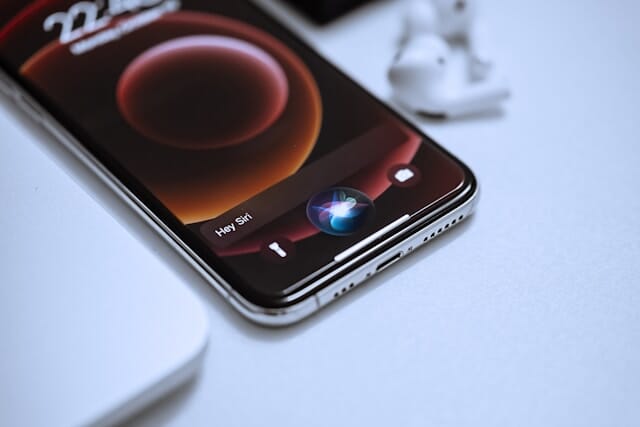 Apple's New Siri Will Handle Multiple Requests at Once -- Here's What's Actually Changing
Apple Security Fix for DarkSword on Older Devices
Apple did something unusual on April 1, 2026. It widened availability of iOS 18.7.7 and iPadOS 18.7.7 to far more iPhones and iPads. The patch now reaches devices that support iOS 26 but still run the older version. Earlier, on March 24, the update only covered very old hardware like iPhone XS models and seventh-generation iPads.
You no longer face the tough choice between staying on a familiar system or jumping to a brand-new one with features some dislike. Apple backported the exact fixes needed for DarkSword. This rare step shows the company prioritizes your safety even when you delay big upgrades.
What Makes the DarkSword Threat So Dangerous
DarkSword is no ordinary bug. It is a full exploit chain built from multiple vulnerabilities in WebKit, Safari, the dynamic loader, and the kernel. Attackers craft a malicious website that silently compromises your device the moment you visit it. No clicks, no downloads, just one loaded page.
Hackers steal messages, browsing history, location data, and even cryptocurrency wallets. The toolkit has already powered espionage campaigns and targeted users in countries including Malaysia, Saudi Arabia, Turkey, and Ukraine. When the code leaked onto GitHub, the risk exploded. Anyone could copy and launch these attacks.
You feel the weight of that danger when you realize one wrong link could expose everything. Researchers spotted active domains still serving DarkSword as recently as late March. Apple stepped in before the problem grew worse.
Why Apple Chose This Unprecedented Backport
Apple usually tells users to update to the latest iOS for every security fix. This time the company changed course. An Apple spokesperson told reporters the company is now enabling the iOS 18 update for more devices so auto-update users receive important security protections right away.
Roughly one in four iPhone owners still ran iOS 18 as of February. Many hesitated because of the dramatic Liquid Glass interface redesign, compatibility issues with favorite apps, or simply not enough storage space. Apple listened and delivered the patch without forcing a full upgrade.
This marks the second backport in recent weeks after a similar fix for the Coruna toolkit. Security experts praise the shift, noting it closes a dangerous gap for millions of everyday users who value stability over flashy new features.
Which Devices Now Receive the iOS 18.7.7 Update
If your iPhone or iPad supports iOS 26 but you stayed on iOS 18, you qualify. The expanded update covers a broad range of newer models that previously stopped getting iOS 18 point releases. Older hardware like iPhone XS series already had access.
Open Settings, tap General, then Software Update. You will see iOS 18.7.7 listed. Users with automatic updates enabled get it pushed overnight. No manual steps required. Apple also offers the choice to jump straight to iOS 26 for even stronger long-term defenses.
Step-by-Step Guide to Install Your Security Patch
You want to act fast, so here is exactly what to do. First, connect to Wi-Fi and plug in your device. Head to Settings > General > Software Update. If iOS 18.7.7 appears, tap Download and Install. Enter your passcode when asked and wait for the restart.
The whole process takes under 15 minutes on most devices. After the update, your iPhone blocks DarkSword attacks that target iOS 18.4 through 18.7. You stay protected even if you keep the older operating system.
For extra safety, turn on Automatic Updates in the same menu. That way future patches arrive without you lifting a finger.
Extra Protection Layers You Can Activate Today
Apple reminds everyone that Lockdown Mode offers another strong defense against sophisticated web attacks like DarkSword. Go to Settings > Privacy & Security > Lockdown Mode and turn it on. Your device restarts, and it limits certain features to block advanced exploits. Apple reports no known successful government spyware attacks on devices running Lockdown Mode.
You can also install a good content blocker or browser guard to stop malicious sites before they load. Avoid clicking unknown links in emails or messages. Move valuable crypto to hardware wallets. Use a password manager with strong multi-factor authentication. These habits keep you safer every day.
How This Update Changes the Game for iPhone Users
You no longer feel stuck between security and comfort. Apple proved it can deliver targeted fixes to older software when real threats appear in the wild. This approach builds trust. It shows the company cares about the huge number of users who prefer stability.
Security researchers note that exploit kits like DarkSword evolve quickly. By backporting patches, Apple reduces the window attackers exploit. You gain breathing room to decide when to upgrade without risking your personal data.
Think about the peace of mind that comes with knowing your messages, photos, and financial apps stay private. One simple update delivers that shield. Millions of iPhone owners can now sleep easier.
The Bigger Picture: Security, Privacy, and Your Choices
DarkSword highlights how web-based attacks grow more sophisticated. Hackers no longer need physical access or tricky apps. A single visit to a poisoned site can hand over control. Apple fought back by patching the exact chain of vulnerabilities that make this possible.
You benefit because the fixes shipped first in iOS 26 and now reach back to iOS 18. This layered approach protects the widest possible audience. Apple still urges everyone with a supported device to move to iOS 26 for the most advanced protections overall. Yet the company refuses to leave anyone behind.
Experts like Patrick Wardle and Rocky Cole point out that without these backports, far too many users would stay exposed. Apple listened to that feedback and acted. The result feels empowering rather than pushy.
What to Do If Your Device Still Feels Vulnerable
Double-check your current iOS version in Settings > General > About. If you see anything below 18.7.7, update immediately. Restart your device after the patch installs to make sure every protection activates.
Monitor your Apple ID for any unusual activity. Review app permissions regularly. These small habits multiply the power of the new security update.
If you run into any update issues, Apple Support stands ready to help via the Get Support app or website. Most users complete the process smoothly and notice no performance changes, just added safety.
Looking Ahead: Apple Security That Puts You First
This iOS 18.7.7 release signals a smarter future. Apple balances innovation with real-world user needs. You keep control over when and how you upgrade while staying protected from emerging threats.
DarkSword will not be the last exploit kit. Yet Apple continues to respond quickly and creatively. By expanding this patch, the company proves security does not have to mean constant disruption.
You deserve devices that work for you, not against you. Update today, enable the right safeguards, and enjoy your iPhone with confidence. Your data stays yours. Your privacy remains intact. Apple just made that easier than ever.