Apple surprised millions of iPhone users on January 27, 2026, by releasing iOS 26.2.1. This minor but important update primarily adds full support for the newly launched second-generation AirTag and delivers targeted bug fixes. Users running iOS 26 now benefit from improved hardware compatibility and smoother operation without waiting for a larger release.
The update arrives just one day after the second-generation AirTag launch and addresses immediate needs for early adopters of the new tracker. Apple positions iOS 26.2.1 as a focused release that enhances real-world usability.
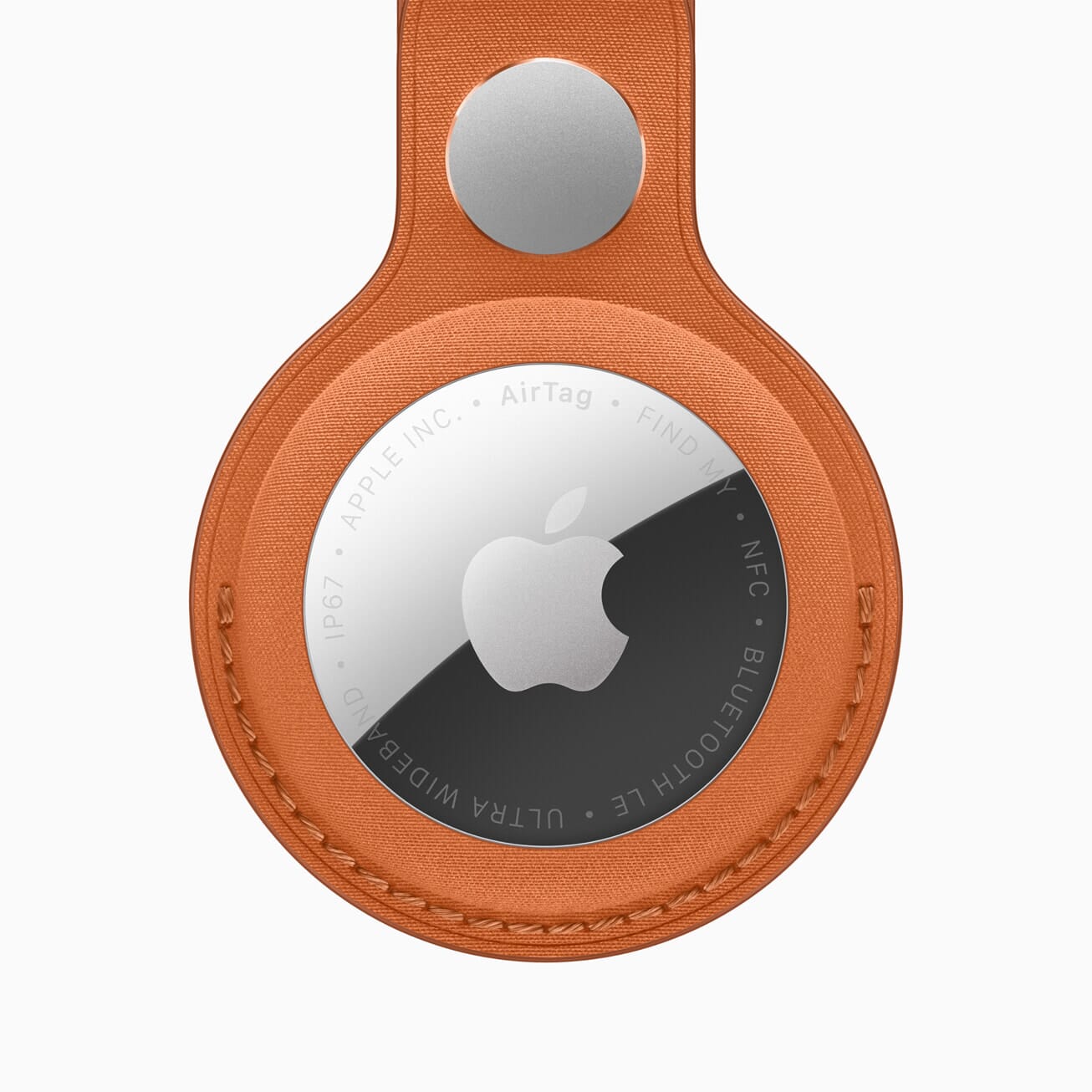 Apple Introduces AirTag 2 Five Features You Need to Know
What’s New in iOS 26.2.1
iOS 26.2.1 focuses on hardware support rather than flashy new features. The headline addition is official compatibility with the AirTag (2nd generation). This new tracker features an upgraded Ultra Wideband chip for superior Precision Finding range, a redesigned Bluetooth chip, a unique chime, and 50% louder sound for easier location. It also uses child-safe replaceable batteries.
Some advanced AirTag features require an Apple Watch Series 9, Ultra 2, or later. The update ensures seamless pairing and performance across supported devices.
Beyond AirTag integration, the release includes unspecified bug fixes that resolve lingering issues from iOS 26.2. The file size is approximately 839 MB, and installation typically completes in under 10 minutes on recent iPhones.
AirTag Second Generation Support Explained
The second-generation AirTag represents Apple's biggest hardware update to the lineup. iOS 26.2.1 enables full functionality, including enhanced Precision Finding accuracy and the new audio signature. Users who purchase the updated tracker will experience immediate benefits after installing the software update.
This timely support prevents compatibility gaps that could frustrate buyers. Apple coordinated the software and hardware releases closely, demonstrating responsive ecosystem management.
Bug Fixes and Improvements
Apple does not detail every fix in iOS 26.2.1, but the update targets stability issues reported after iOS 26.2. These refinements improve overall reliability, particularly for users who encountered glitches in media apps, connectivity, or background processes from prior versions.
The update builds on iOS 26.2 enhancements, which added offline lyrics in Apple Music, auto-generated podcast chapters, Games library filters, and improved controller support. iOS 26.2.1 polishes these experiences further.
Security Updates in iOS 26.2.1
iOS 26.2.1 includes no published CVE entries, meaning Apple did not address newly disclosed vulnerabilities. However, security experts strongly recommend installing it anyway. Staying current protects against exploits targeting outdated software, and the bug fixes indirectly strengthen device stability.
For older iPhones unable to run iOS 26, Apple simultaneously released iOS 18.7.4 with security patches.
How to Download and Install iOS 26.2.1 on Your iPhone
- Connect to Wi-Fi and plug in your charger.
- Open Settings > General > Software Update.
- Tap Download and Install when iOS 26.2.1 appears.
- Enter your passcode and wait for the process to complete.
Backup your iPhone via iCloud or a computer beforehand. The update installs quickly on modern hardware.
iOS 26.2.1 Supported Devices
iOS 26.2.1 supports all iPhones compatible with iOS 26, including iPhone 11 and later models, all iPhone 17 series, iPhone SE (2nd and 3rd generation), and newer devices. Older models such as iPhone XS receive separate updates like iOS 18.7.4.
Should You Update to iOS 26.2.1 Now?
Yes, update promptly if you own a compatible iPhone. The AirTag support makes the release essential for new tracker owners, while bug fixes enhance daily performance. Cybersecurity professionals encourage immediate installation to maintain optimal protection and avoid potential issues from prior versions.
Early adopters report smooth experiences with minimal downtime.
Potential Issues and Tips
Rare reports mention temporary battery drain or slow performance right after installation, typical of any iOS update. Restart your iPhone after updating and monitor for a day. Clear cache in heavy apps if needed.
Avoid updating on low battery or unstable networks to prevent interruptions.
Apple continues to refine iOS 26 with upcoming versions like iOS 26.3 expected soon.
Apple delivers meaningful value through iOS 26.2.1 by enabling the latest AirTag hardware and polishing the experience users already love. Install the update today through Settings > General > Software Update to unlock full compatibility, enjoy greater stability, and keep your iPhone performing at its best. Staying current ensures you get the most from Apple's ecosystem.
Read More
- Meta Is Testing Premium Subscriptions on Instagram, Facebook, and WhatsApp
- Users May Have to Pay to Remove Ads from WhatsApp Soon: What We Know
- Google Photos Adds New AI Feature to Meme Yourself: Everything You Need to Know
- WhatsApp Plans Feature That Allows New Group Members to View Past Chat History